WhatsApp broadcasts for WooCommerce can help online stores announce offers, launch products, send reorder reminders, and re-engage customers who are likely to buy again. When done well, broadcasts are not random bulk messages. They are targeted, approved-template campaigns sent to the right audience at the right time.
WhatsApp is a personal channel, so broadcast quality matters. A poorly targeted message can lead to unsubscribes, complaints, and wasted budget. A well-planned broadcast can bring customers back to your WooCommerce store with a simple, useful message.
In this guide, you will learn how WhatsApp broadcasts work for WooCommerce, when to use them, what templates to choose, how to segment your audience, and how NXT Cloud Chat helps WordPress stores manage broadcast campaigns from inside the WordPress dashboard.
What Is a WhatsApp Broadcast for WooCommerce?
A WooCommerce WhatsApp broadcast is a template-based message sent to a selected group of customers or contacts. Unlike a one-to-one reply, a broadcast is usually planned as a campaign.
- New product announcement
- Sale or seasonal campaign
- Back-in-stock message
- Reorder reminder
- VIP customer offer
- Educational product guide
Most broadcast campaigns use Marketing templates because they promote an offer, product, reminder, or re-engagement message. Some informational campaigns may use another category, but the template category must match the real message purpose.
Why Broadcasts Need Approved WhatsApp Templates
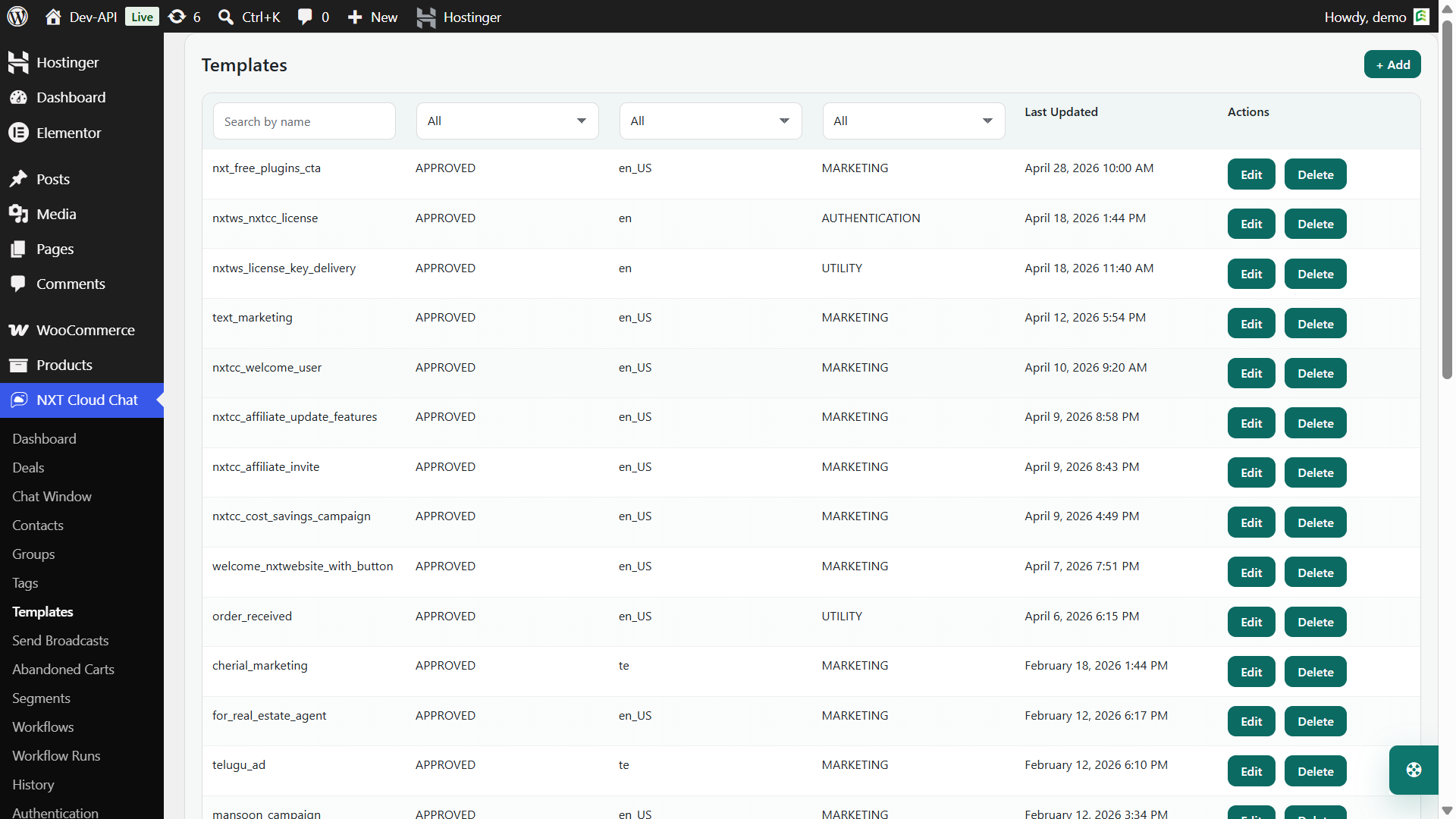
WhatsApp broadcasts are business-initiated messages. In most cases, they require approved WhatsApp templates before they can be sent through the official WhatsApp Cloud API.
This is good for both businesses and customers. Templates force you to plan the message purpose, category, structure, variables, and call to action before sending at scale.
- Use Authentication templates only for verification.
- Use Utility templates for transactional or service-related updates.
- Use Marketing templates for promotional broadcasts, offers, launches, and reactivation messages.
The Biggest Broadcast Mistake: Sending to Everyone
The easiest broadcast mistake is sending the same message to your entire contact list. It may feel simple, but it usually performs worse than a targeted campaign.
A customer who bought running shoes may not care about baby products. A customer who purchased yesterday may not need a discount reminder today. A high-value repeat buyer may deserve a different message than a first-time visitor who abandoned a cart.
Good broadcasts start with audience quality.
How NXT Cloud Chat Helps with Broadcast Audiences
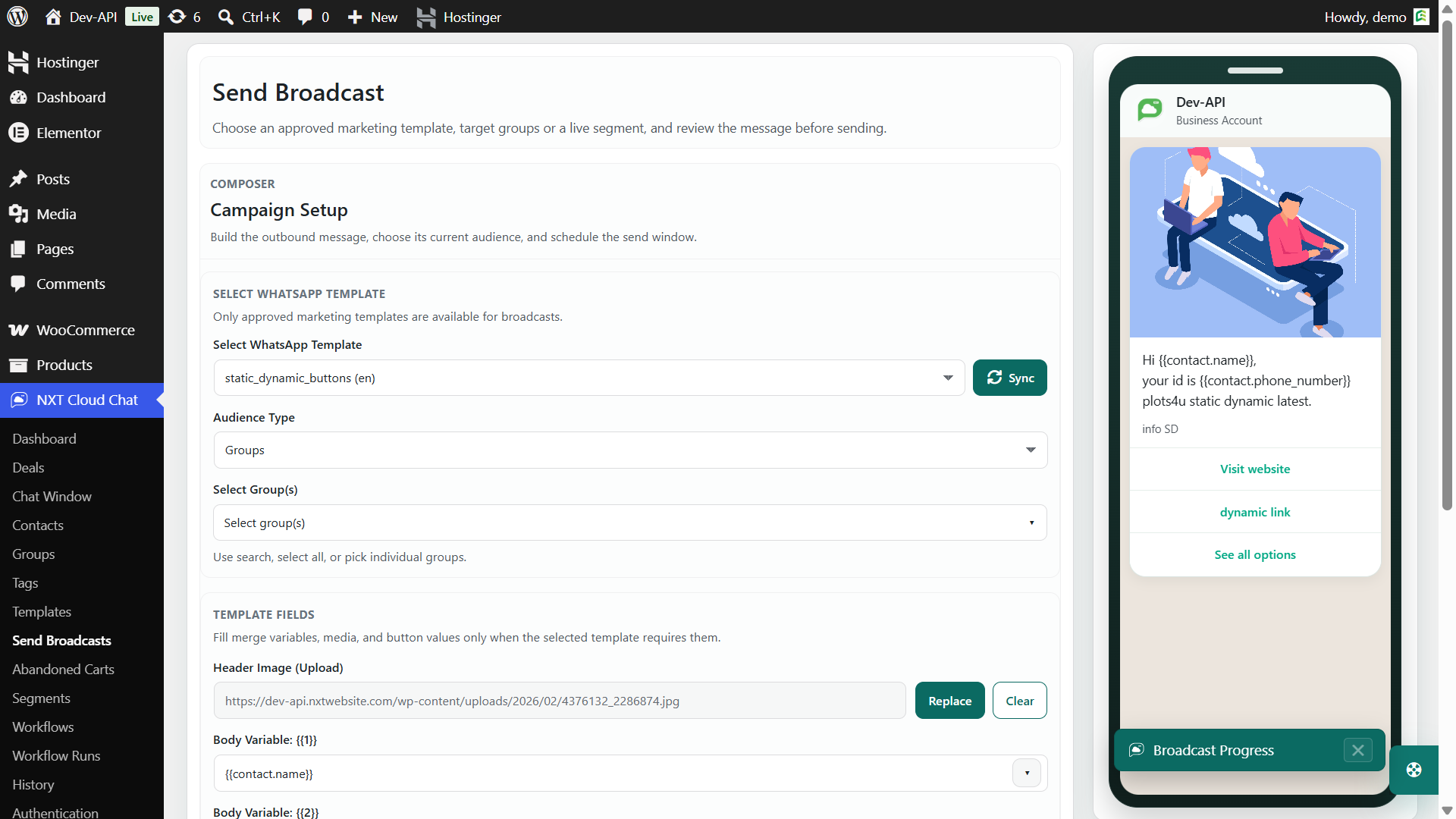
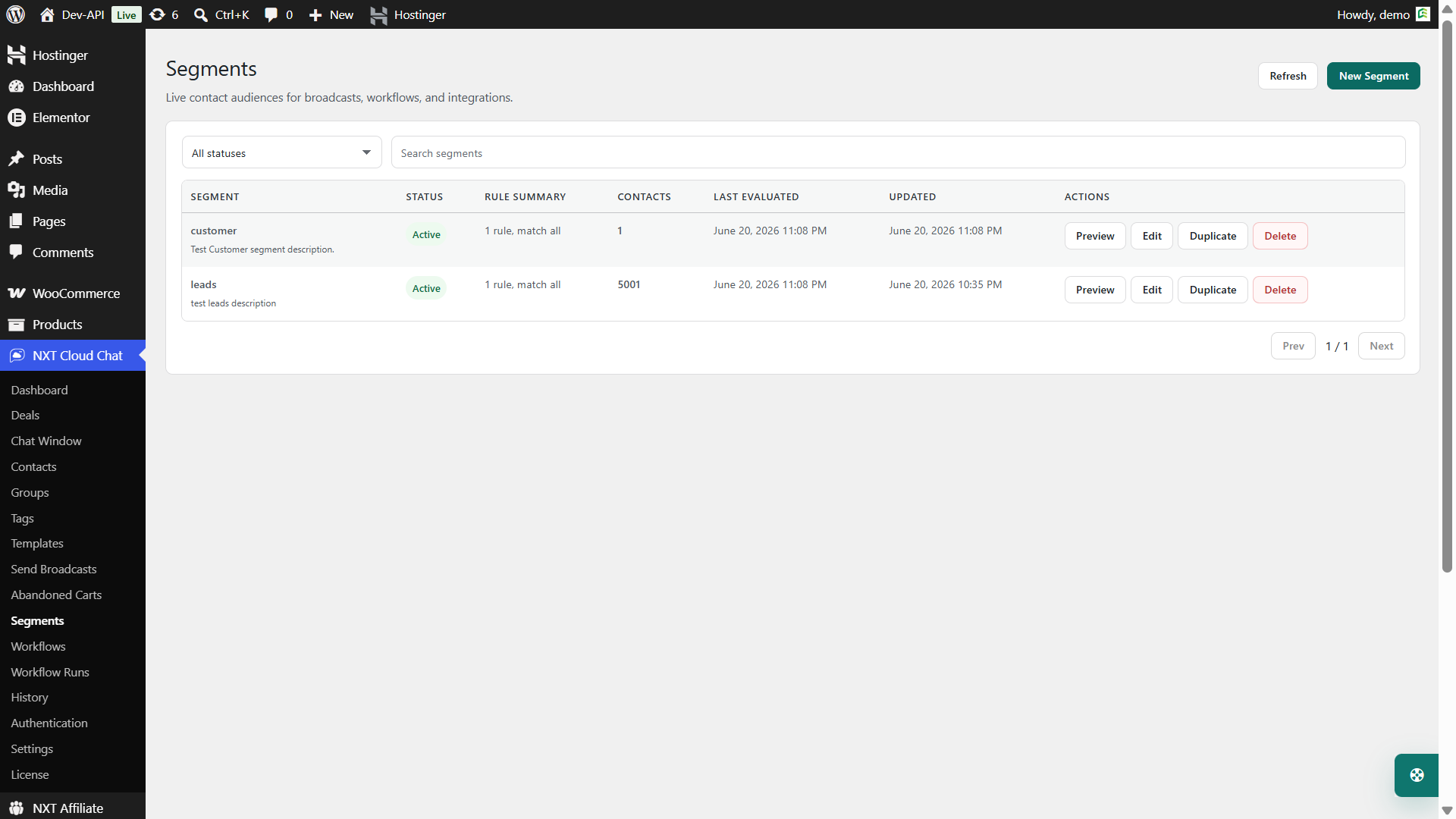
NXT Cloud Chat Pro can send broadcasts to selected groups, or dynamic segments. This gives WooCommerce stores practical ways to target audiences without exporting lists into separate tools.
- Groups – send to organized contact groups.
- Dynamic segments – send to contacts who match current rules.
Dynamic segments are especially useful for WooCommerce campaigns because they can use customer and commerce filters such as order value, order count, products, categories, coupons, order statuses, refunds, and abandoned cart activity.
WooCommerce Broadcast Campaign Ideas
Here are practical broadcast ideas for WooCommerce stores.
| Campaign | Audience idea | Template category |
|---|---|---|
| Product launch | Customers who bought related products | Marketing |
| Back in stock | Customers interested in the same category | Marketing |
| VIP offer | High lifetime value customers | Marketing |
| Reorder reminder | Customers who bought consumable products before | Marketing |
| Seasonal sale | Subscribed customers in relevant groups or segments | Marketing |
| Important service notice | Affected customers only | Utility, if truly transactional |
The more specific your audience, the easier it is to write a message that feels useful instead of generic.
Broadcast Message Examples
Product Launch
Hi {{1}}, our new {{2}} is now available. You can explore it here: {{3}}
Reorder Reminder
Hi {{1}}, it may be time to reorder {{2}}. Visit your product page here: {{3}}
VIP Customer Offer
Hi {{1}}, thank you for being a valued customer. Your exclusive offer is ready: {{2}}
These are only examples. Your final template must match your business, template category, approval rules, and customer expectations.
Step-by-Step Broadcast Setup
- Connect NXT Cloud Chat to the official WhatsApp Cloud API.
- Create and approve your WhatsApp template in the correct category.
- Sync templates into NXT Cloud Chat Pro.
- Create or choose a contact group or dynamic segment.
- Review subscription status and audience quality.
- Choose the approved template and map variables.
- Send a small test before sending to the full audience.
- Schedule or send the campaign.
- Review campaign performance and failed deliveries.
Subscription Status Matters
Broadcasts should respect customer subscription preferences. NXT Cloud Chat is designed around contact subscription state so campaigns can avoid sending marketing messages to contacts who should not receive them.
This is especially important for WooCommerce because customer relationships are long-term. A short-term sale is not worth damaging customer trust.
How Often Should You Send Broadcasts?
There is no perfect frequency for every store. A fashion brand may send more campaigns than a B2B license product. A local store may send weekly updates. A high-ticket product business may send only major launches or service notices.
Use this simple rule: send only when the message is valuable enough that a customer would understand why they received it.
- Start with fewer broadcasts and measure response.
- Segment audiences instead of sending everything to everyone.
- Avoid repeated offers with the same wording.
- Do not send too close to order confirmation or support messages.
- Watch unsubscribe behavior and customer replies.
Broadcast Performance Checklist
- Is the template approved and in the correct category?
- Is the audience subscribed and relevant?
- Is the message short enough for WhatsApp?
- Is the call to action clear?
- Are variables mapped correctly?
- Have you tested the message on a real device?
- Can customers understand why they received the message?
Common WhatsApp Broadcast Mistakes
- Sending to all contacts without segmentation.
- Using the wrong template category.
- Writing a message that is too long for mobile reading.
- Using unclear variables or broken links.
- Sending too frequently.
- Not reviewing failed campaign messages.
Why NXT Cloud Chat Is Useful for Broadcasts
NXT Cloud Chat Pro brings WhatsApp broadcasts into the same WordPress environment where your contacts, groups, templates, WooCommerce data, segments, and automation tools already live. That makes campaign planning easier because you do not have to manually export and re-import lists between disconnected tools.
For WooCommerce stores, this matters because the best broadcast audience is usually not a static list. It is often a current segment based on customer behavior, order history, cart activity, product interest, or subscription status.
If you want a WordPress-native way to send approved WhatsApp broadcast campaigns, start with NXT Cloud Chat and build your campaigns around templates, consent, and relevant WooCommerce segments.
Frequently Asked Questions
Can WooCommerce stores send WhatsApp broadcasts?
Yes. WooCommerce stores can send WhatsApp broadcasts through the official WhatsApp Cloud API using approved templates and a WordPress plugin such as NXT Cloud Chat Pro.
Do broadcasts need approved templates?
Most business-initiated broadcasts require approved WhatsApp templates. Promotional broadcasts usually use Marketing templates.
Can I send broadcasts to WooCommerce segments?
Yes. NXT Cloud Chat Pro supports dynamic segments with WooCommerce filters such as order value, order count, products, categories, coupons, statuses, refunds, and abandoned carts.
Should I send every offer to every customer?
No. Targeted broadcasts usually perform better and create a better customer experience than sending every campaign to the entire contact list.
Can NXT Cloud Chat schedule broadcasts?
NXT Cloud Chat Pro supports scheduled message delivery and retry handling for broadcast campaigns, helping store owners plan campaigns more carefully.