WooCommerce WhatsApp automation helps online stores send timely messages, recover carts, update customers, organize follow-ups, and reduce manual communication work. When it is connected to the official WhatsApp Cloud API, your WordPress site can use approved templates and structured workflows instead of sending every message manually.
For WooCommerce stores, WhatsApp automation is useful because many customer moments are time-sensitive. A buyer wants to know whether the order was received. A shopper may need a cart reminder before they forget. A returning customer may be ready for a reorder. A support team may need a ticket update or internal handoff.
In this complete guide, you will learn what WooCommerce WhatsApp automation means, which messages to automate, how templates and workflows fit together, and how NXT Cloud Chat helps WordPress store owners build a practical WhatsApp automation system.
What Is WooCommerce WhatsApp Automation?
WooCommerce WhatsApp automation means sending WhatsApp messages or triggering CRM actions based on WooCommerce and WordPress events. Instead of an administrator manually checking orders, copying phone numbers, and sending messages, automation can react to clear events inside your store.
- A customer places an order.
- An order status changes.
- A cart becomes abandoned.
- A contact joins a group or segment.
- A workflow condition matches a customer or cart.
- A ticket, contact, deal, or task needs follow-up.
The best automations are not complicated. They are clear, useful, and easy to test.
The Building Blocks of WhatsApp Automation
A good automation system needs a few core parts working together.
1. Official WhatsApp Cloud API Connection
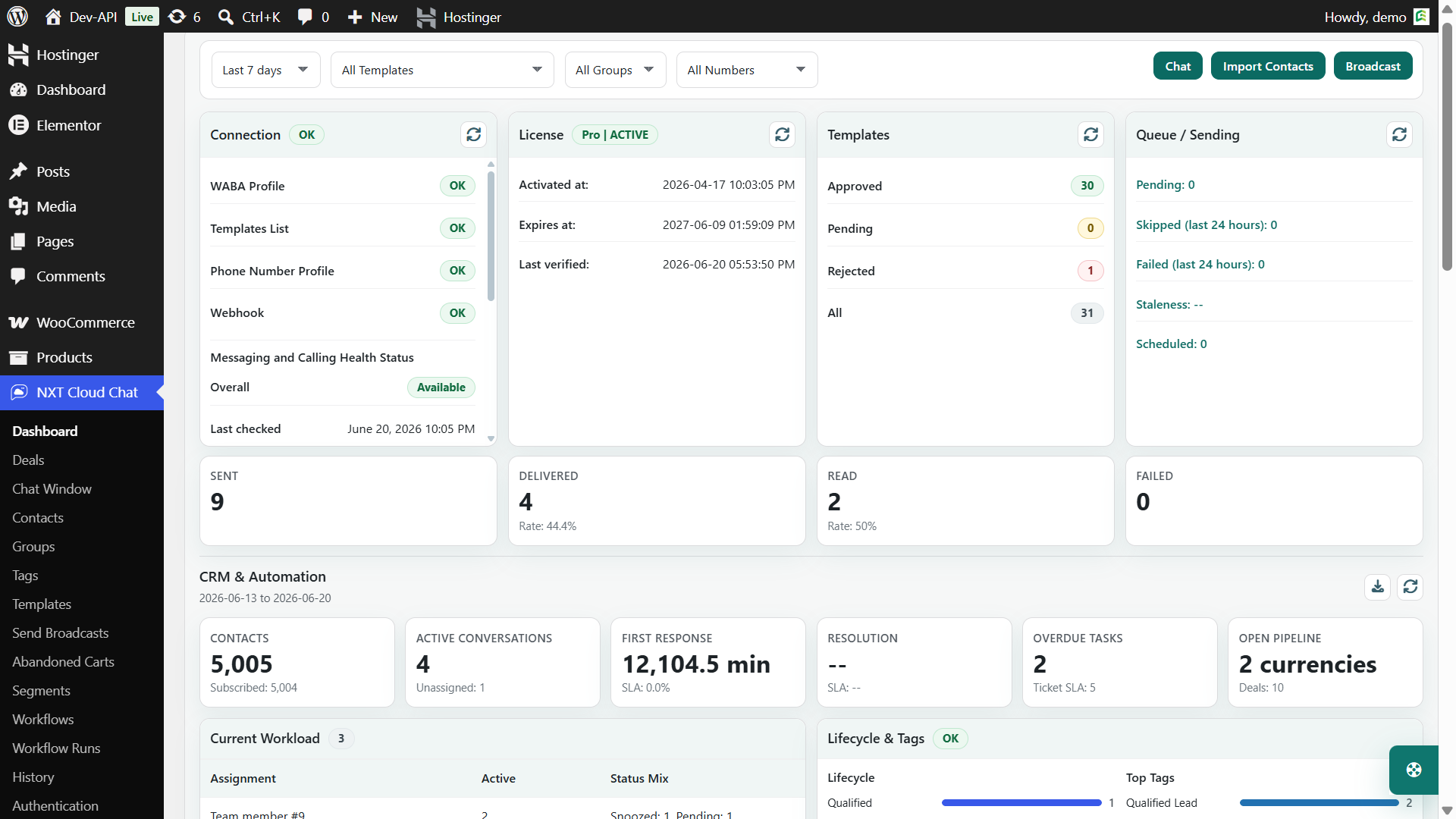
Your WordPress site needs a reliable connection to the official WhatsApp Cloud API. NXT Cloud Chat provides dashboard and settings screens to help configure the connection and monitor health status.
2. Approved WhatsApp Templates
Most business-initiated automations need approved WhatsApp templates. WooCommerce order updates usually use Utility templates. Abandoned cart reminders and campaigns usually use Marketing templates. OTP login uses Authentication templates.
3. Contacts and Subscription Status
Automation should understand who the customer is and whether the customer is eligible to receive the message. Subscription status is especially important for marketing campaigns and abandoned cart reminders.
4. Triggers, Conditions, and Actions
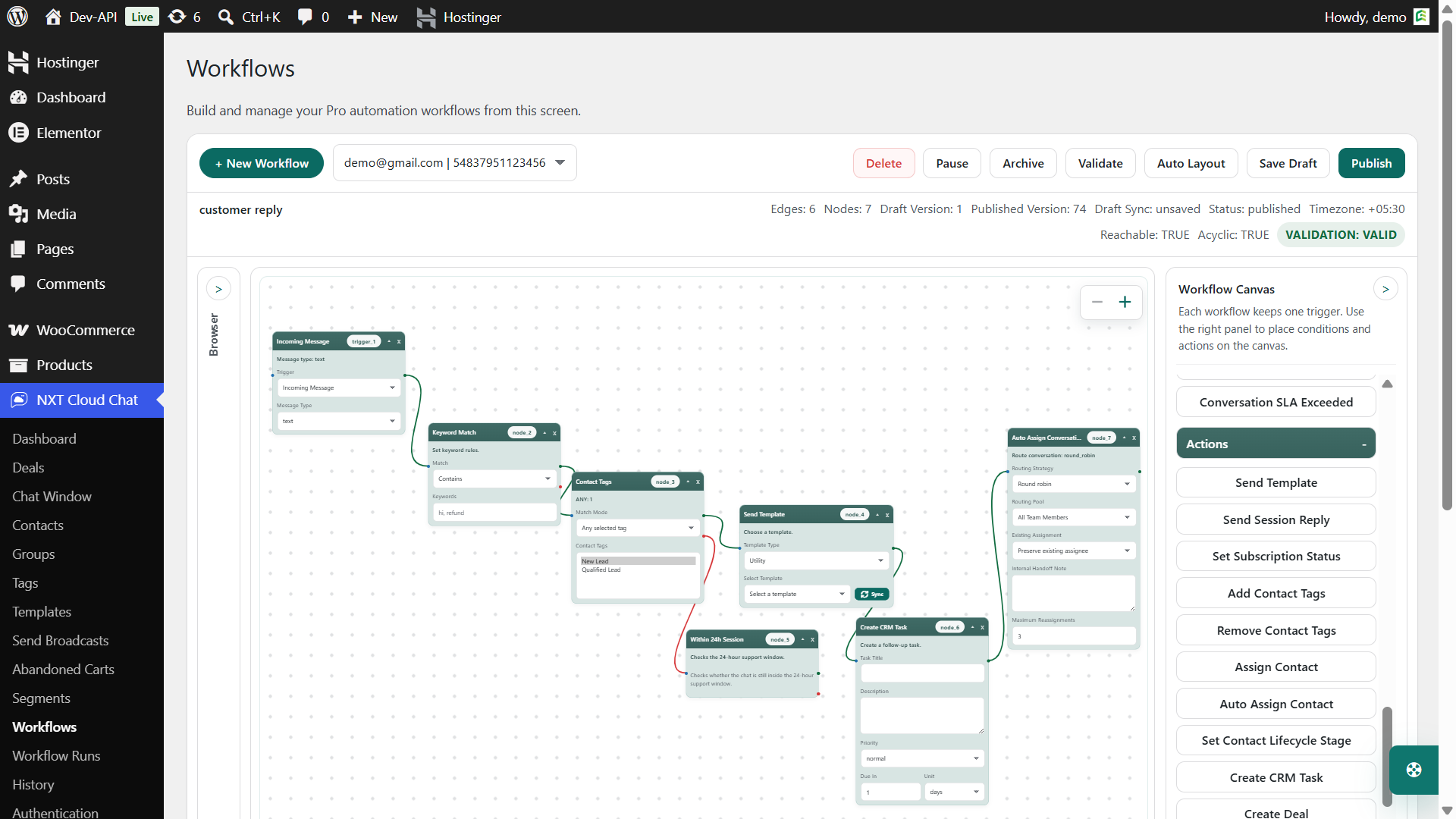
A workflow usually starts with one clear trigger. Conditions decide whether the workflow should continue. Actions perform the work, such as sending a template, assigning a contact, adding a tag, or updating CRM data.
NXT Cloud Chat Pro provides a visual drag-and-drop style flow builder so administrators can build automation without writing custom code.
Best WooCommerce WhatsApp Automations to Build First
If you are starting from zero, do not build ten automations on day one. Start with the flows that create the most customer value and are easiest to verify.
1. Order Confirmation
Send a Utility template when an order is created or moves into the status your store considers confirmed. This reassures the customer that the order exists and is being processed.
2. Payment Confirmation
For prepaid orders, digital products, subscriptions, or license products, a payment confirmation message can reduce uncertainty and support tickets.
3. Order Status Updates
Use workflow triggers and conditions to send important order status updates. NXT Cloud Chat Pro supports dynamic WooCommerce order status handling, including custom status slugs from third-party order or shipping plugins.
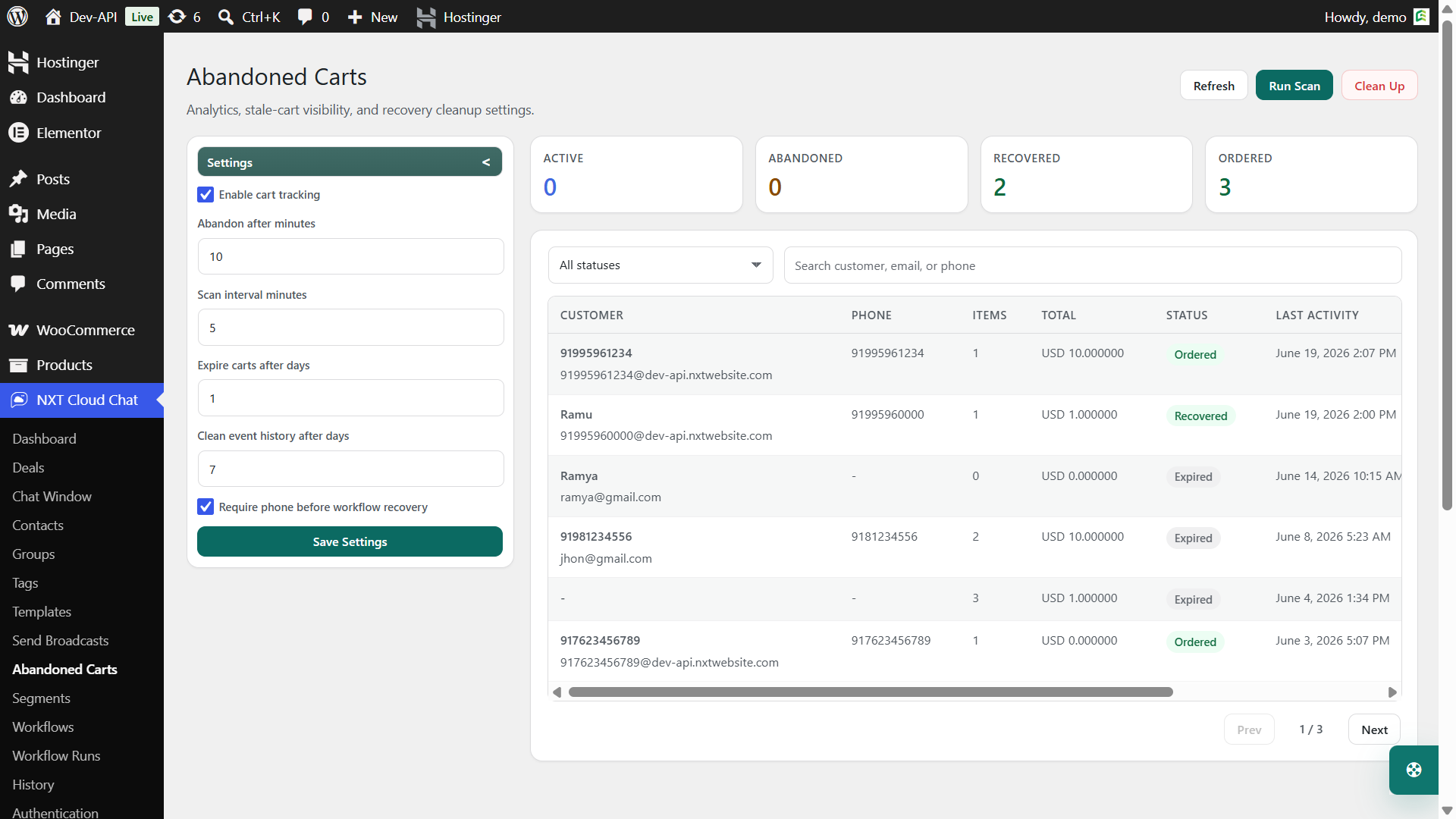
4. Abandoned Cart Recovery
Detect stale carts, review abandoned cart status, and send approved Marketing templates through recovery workflows. This is one of the most direct revenue-focused WhatsApp automations for WooCommerce.
5. Broadcast Campaigns
Use approved templates to send broadcasts to selected contacts, groups, or dynamic segments. Broadcasts are useful for product launches, reorder reminders, VIP offers, and customer education campaigns.
6. COD Verification with WhatsApp OTP
For Cash on Delivery stores, customer verification is better handled through WhatsApp OTP authentication rather than a marketing workflow. NXT Cloud Chat can require verified login for WooCommerce COD orders, helping reduce fake or unreachable COD orders before checkout continues.
Example Automation Map for WooCommerce
| Store event | Automation idea | Template category |
|---|---|---|
| Customer logs in | WhatsApp OTP verification | Authentication |
| Order created | Order confirmation message | Utility |
| Payment received | Payment confirmation message | Utility |
| Status changed to shipped | Shipping update | Utility |
| Cart abandoned | Cart recovery reminder | Marketing |
| Segment matches VIP customer | VIP campaign broadcast | Marketing |
How the Visual Workflow Builder Helps
Automation becomes easier to manage when the logic is visible. NXT Cloud Chat Pro workflows use a visual builder where administrators can connect triggers, conditions, and actions on a canvas.
- Triggers start the workflow, such as a WooCommerce order event or abandoned cart event.
- Conditions check whether the flow should continue, such as order status, product category, subscription status, tag, group, segment, or cart context.
- Actions perform work, such as sending a template, adding a tag, assigning a contact, changing subscription status, or updating CRM activity.
The visual model is useful because store owners can understand the flow before publishing it. It also makes future edits easier when your WooCommerce process changes.
Use Workflow Runs for Visibility
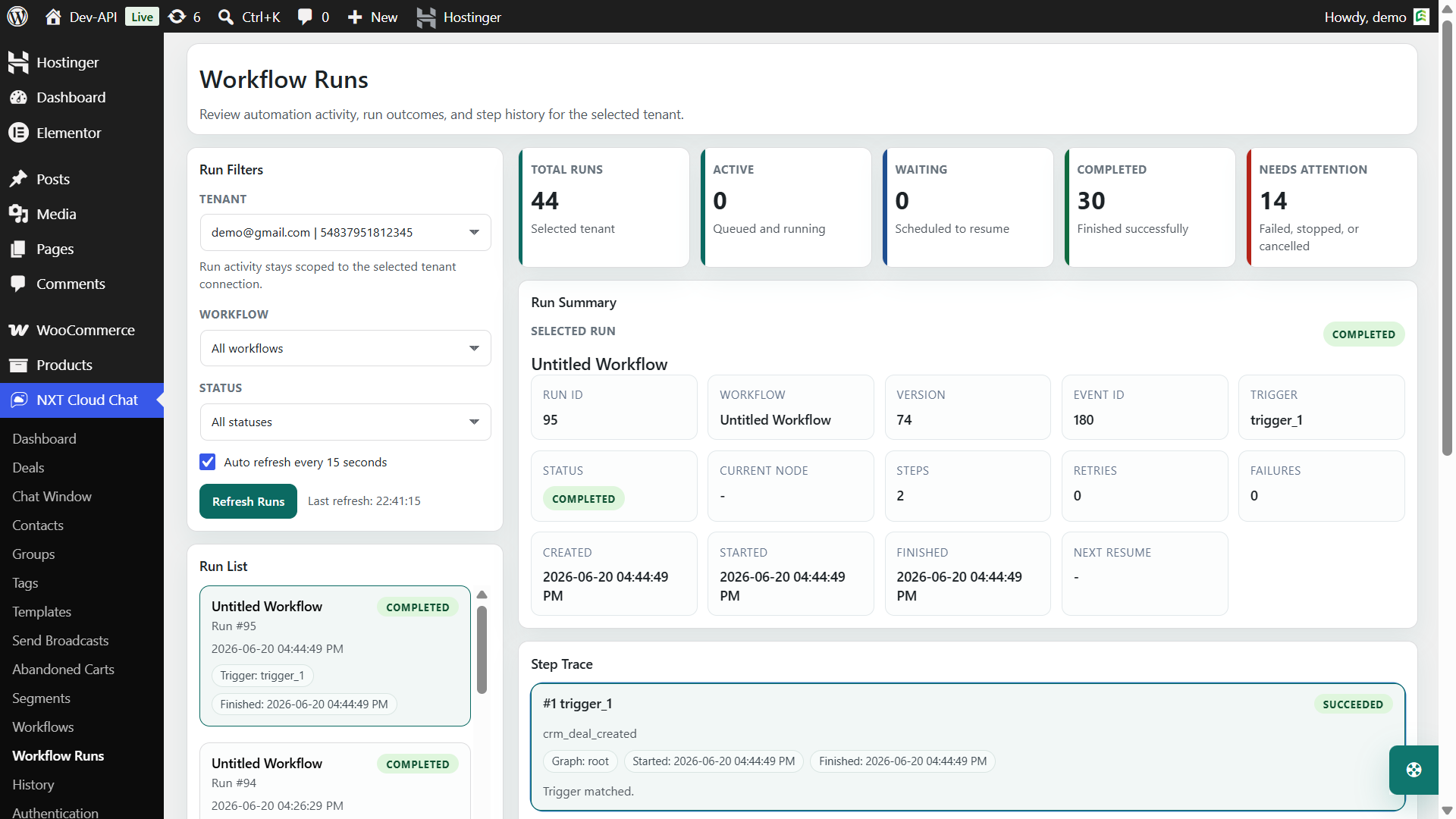
Automation should not be invisible. When something fails, you need to know whether the trigger fired, the condition matched, the template was valid, or the message failed at delivery.
NXT Cloud Chat Pro includes Workflow Runs so administrators can review execution status, matched contacts, step results, failed steps, and retry information.
Where Segments Fit into Automation
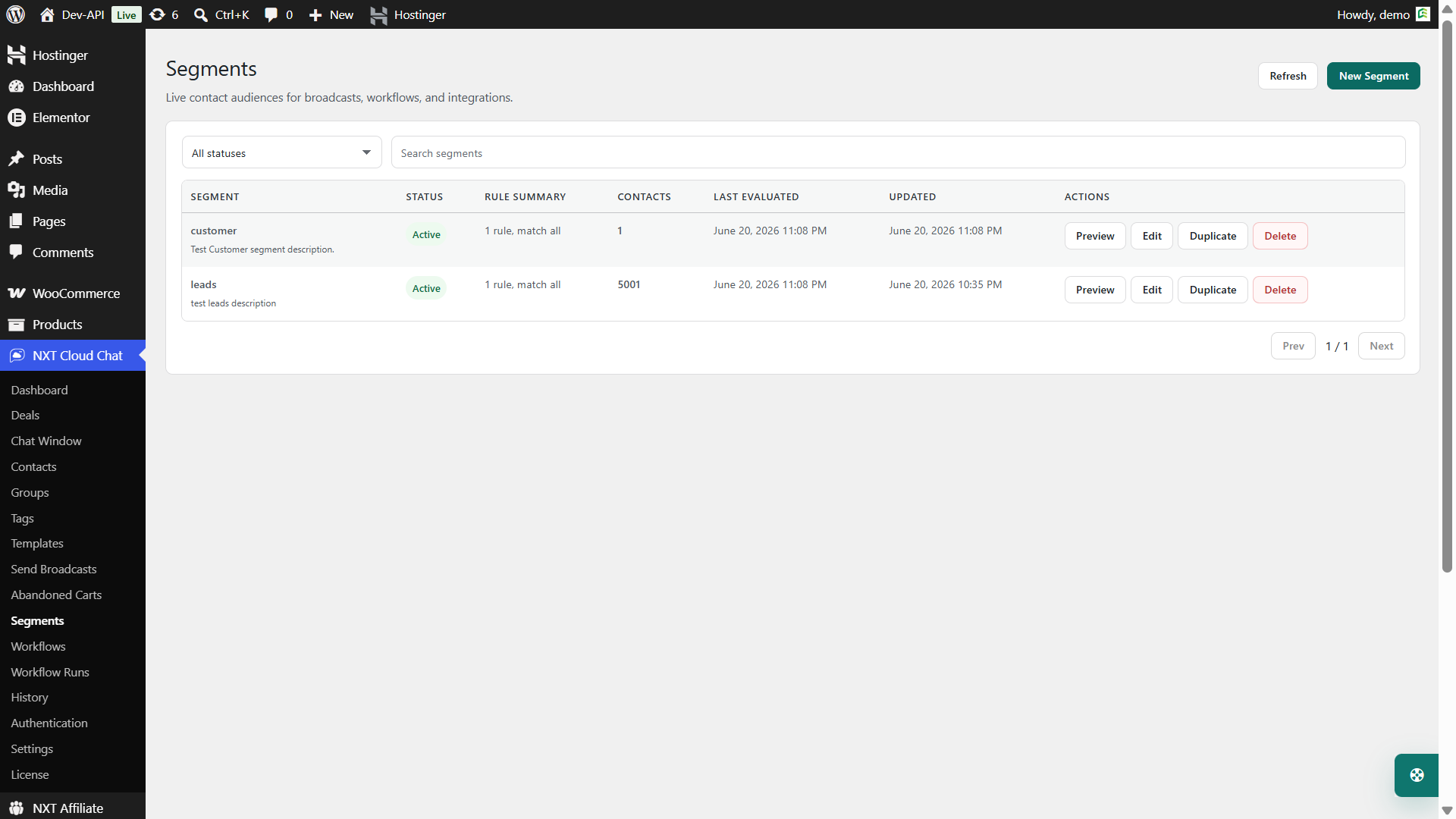
Segments help you target customers based on current data. In NXT Cloud Chat Pro, dynamic segments can use CRM and WooCommerce rules such as contact status, tags, groups, lifecycle, assignment, order value, order count, products, categories, coupons, statuses, refunds, and abandoned carts.
Segments can support better broadcasts and smarter workflows:
- VIP customers with high order value
- Customers who purchased a specific category
- Customers with abandoned carts
- Customers who have not ordered recently
- Customers who match a lifecycle or tag rule
A Practical Automation Launch Plan
Here is a realistic path for launching WooCommerce WhatsApp automation without overwhelming your team.
- Connect WhatsApp Cloud API. Configure the connection and confirm health status.
- Set up WhatsApp OTP login if needed. For COD stores, enable verified login requirements before COD checkout continues.
- Create the first Utility templates. Start with order confirmation and payment confirmation.
- Sync templates into NXT Cloud Chat Pro. Confirm template names, languages, variables, and status.
- Build one simple order workflow. Start with one trigger, one condition, and one template action.
- Test with real orders. Check variables, timing, and workflow run logs.
- Add abandoned cart recovery. Configure cart thresholds, review the cart table, then create a recovery workflow.
- Introduce broadcasts and segments. Start with small, relevant audiences.
Automation Best Practices
- Start simple. A clear workflow is easier to debug than a large flow with too many branches.
- Use the right template category. Authentication for OTP, Utility for order updates, Marketing for campaigns and cart recovery.
- Respect subscriptions. Marketing automation should honor contact subscription status.
- Test every workflow before publishing widely. Use real orders and real contacts in a controlled way.
- Monitor workflow runs. Logs help find template, variable, connection, and eligibility problems.
- Do not automate everything. Automate the moments that improve customer experience or save meaningful staff time.
Common Automation Mistakes
- Using Marketing templates for transactional updates or Utility templates for promotions.
- Sending too many WhatsApp messages for one order.
- Ignoring unsubscribed contacts in marketing flows.
- Building complex workflows before testing simple ones.
- Not checking custom order statuses created by fulfillment or shipping plugins.
- Not reviewing failed workflow runs after launch.
Why NXT Cloud Chat Works Well for WooCommerce Automation
NXT Cloud Chat gives WordPress site owners a connected WhatsApp system instead of separate tools for login, contacts, inbox, templates, broadcasts, automation, abandoned carts, and workflow logs.
The free plugin covers the core WordPress WhatsApp connection, CRM inbox, contacts, login, and business management experience. NXT Cloud Chat Pro adds the advanced WooCommerce automation tools: template sync, Send Broadcasts, dynamic segments, abandoned cart recovery, visual workflows, workflow runs, retries, and reporting.
For a growing WooCommerce store, that matters. Your automation becomes easier to manage when customer data, order context, cart context, templates, and workflow history are all available inside WordPress.
To build a WooCommerce WhatsApp automation system on the official WhatsApp Cloud API, explore NXT Cloud Chat and start with one useful workflow.
Frequently Asked Questions
Can WooCommerce automate WhatsApp messages?
Yes. With the official WhatsApp Cloud API and NXT Cloud Chat Pro, WooCommerce events can trigger approved WhatsApp template messages and workflow actions.
What messages should I automate first?
Start with order confirmation, payment confirmation, important order status updates, and abandoned cart recovery. These are easy for customers to understand and useful for store operations.
Can I use WhatsApp automation for COD verification?
For COD verification, use WhatsApp OTP authentication rather than a promotional workflow. NXT Cloud Chat supports verified login requirements for WooCommerce COD orders.
Do WhatsApp automations need approved templates?
Most business-initiated WhatsApp automations need approved templates. Use Authentication, Utility, or Marketing templates based on the real message purpose.
Can I track workflow results?
Yes. NXT Cloud Chat Pro includes Workflow Runs so administrators can inspect automation execution, matched contacts, failed steps, and retry details.