The best WhatsApp CRM for WordPress is not just a tool that sends messages. It should help you manage contacts, conversations, teams, tags, tickets, WooCommerce customers, broadcasts, and automation without forcing your business to live outside WordPress.
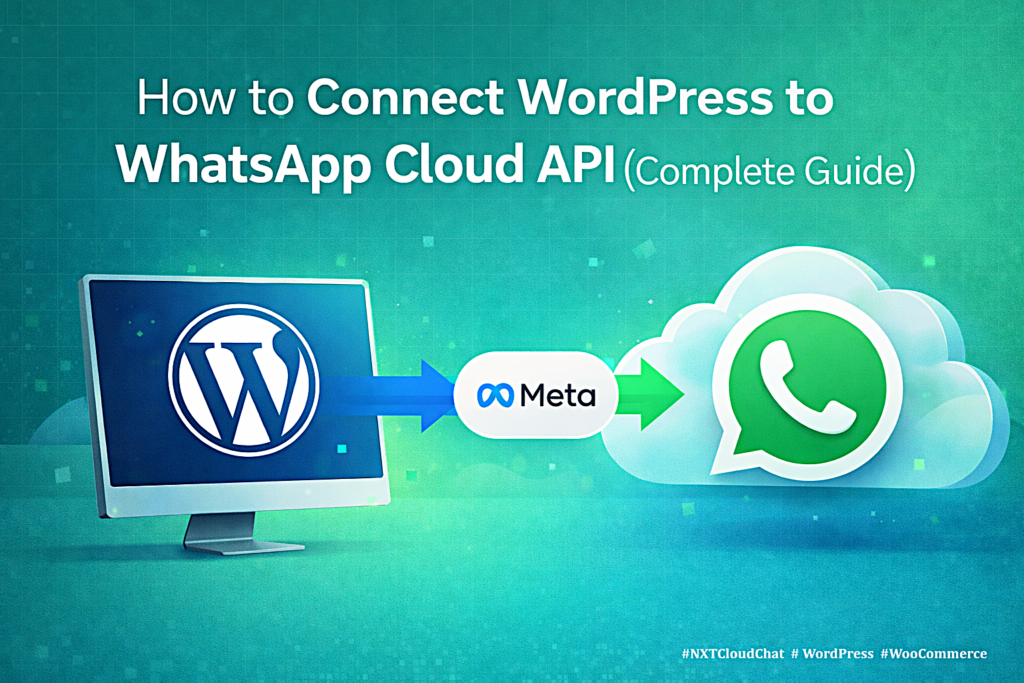
Many WhatsApp tools are built as external SaaS dashboards. They can work well for businesses that aren’t built on WordPress. But since a large percentage of business websites run on WordPress, many store owners prefer not to manage customers across yet another external platform. Instead, they want a CRM that works inside the WordPress admin area, understands WooCommerce context, and connects directly to the official WhatsApp Cloud API.
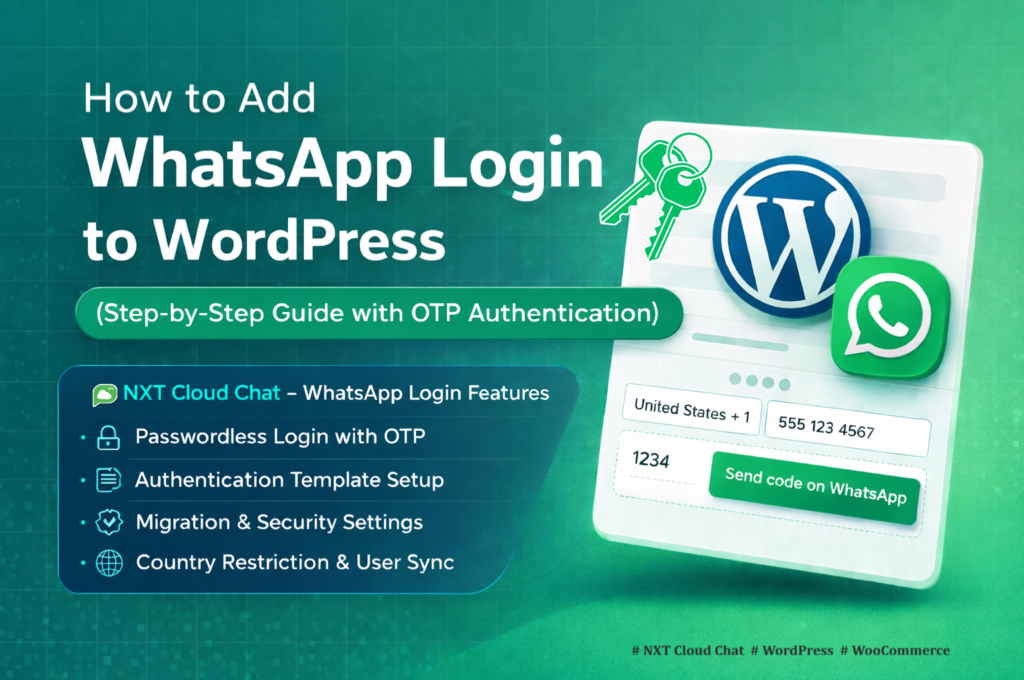
In this guide, you will learn what to look for in a WordPress WhatsApp CRM, which features matter most, and why NXT Cloud Chat is a strong WordPress-native option for businesses that want CRM, inbox, login, WooCommerce communication, automation, and broadcasts in one connected system.
What Is a WhatsApp CRM for WordPress?
A WhatsApp CRM for WordPress helps your website organize customer communication through WhatsApp. It is more than a send-message button. A useful CRM should connect customer identity, conversation history, contact data, team assignments, and follow-up actions.
- Store and manage WhatsApp contacts.
- View chat history and customer context.
- Organize contacts with tags and groups.
- Assign chats, tickets, or customers to team members.
- Send approved templates and broadcasts.
- Automate WooCommerce and customer follow-up workflows.
What Makes a Good WordPress WhatsApp CRM?
Before choosing a plugin, evaluate how the CRM fits your real workflow. A tool may look attractive on a feature list, but it should also be easy for your team to use every day.
1. Official WhatsApp Cloud API Connection
Your CRM should connect through the official WhatsApp Cloud API. This keeps your setup aligned with Meta’s WhatsApp Business Platform instead of depending on unsupported browser sessions or unofficial message methods.
2. WordPress-Native Contact Management
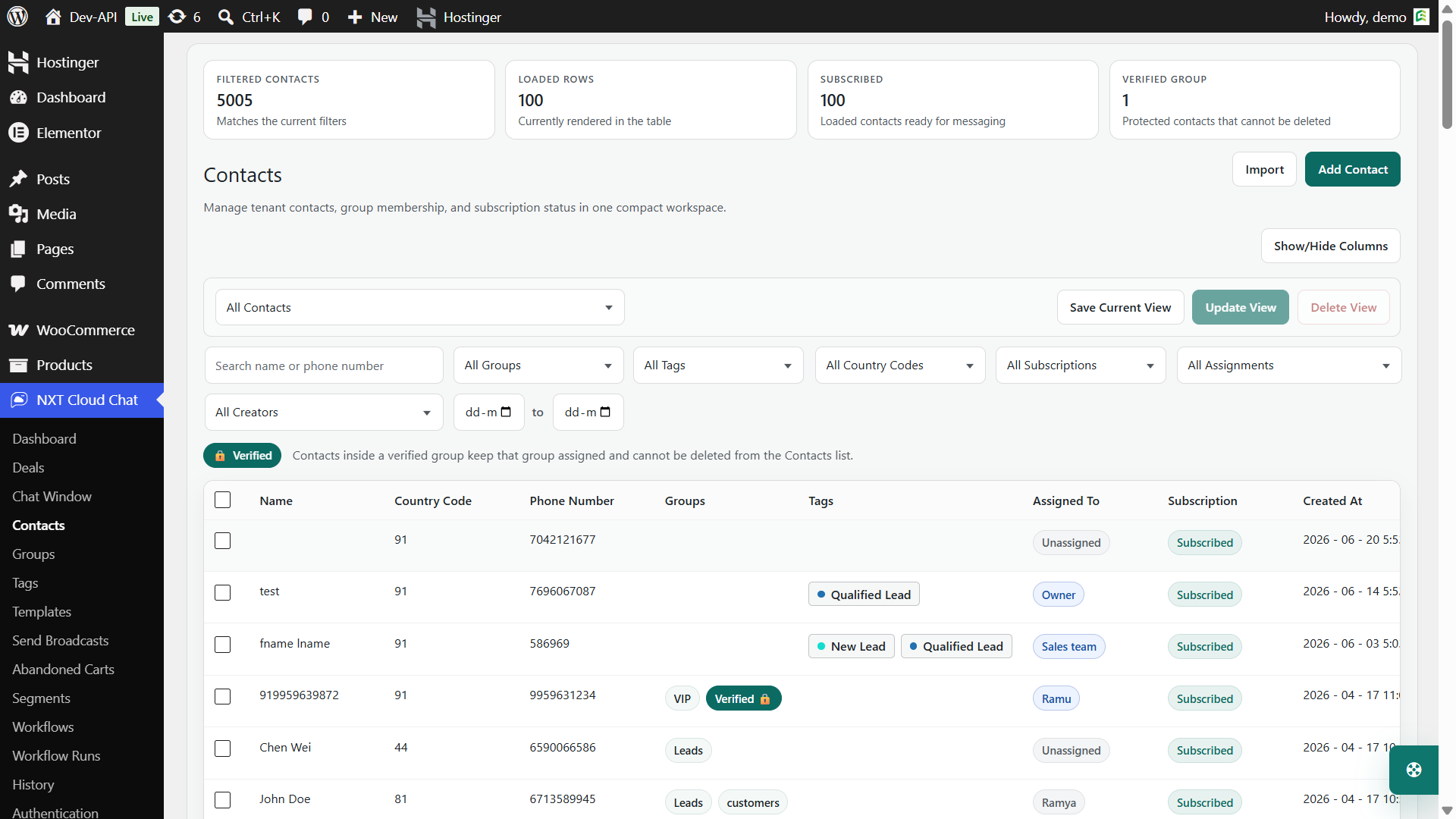
A WordPress business should not have to export every customer interaction into a separate dashboard. Contact data, tags, groups, subscription status, assignment, and history should be visible in the WordPress admin area.
3. Shared Inbox and Chat Context
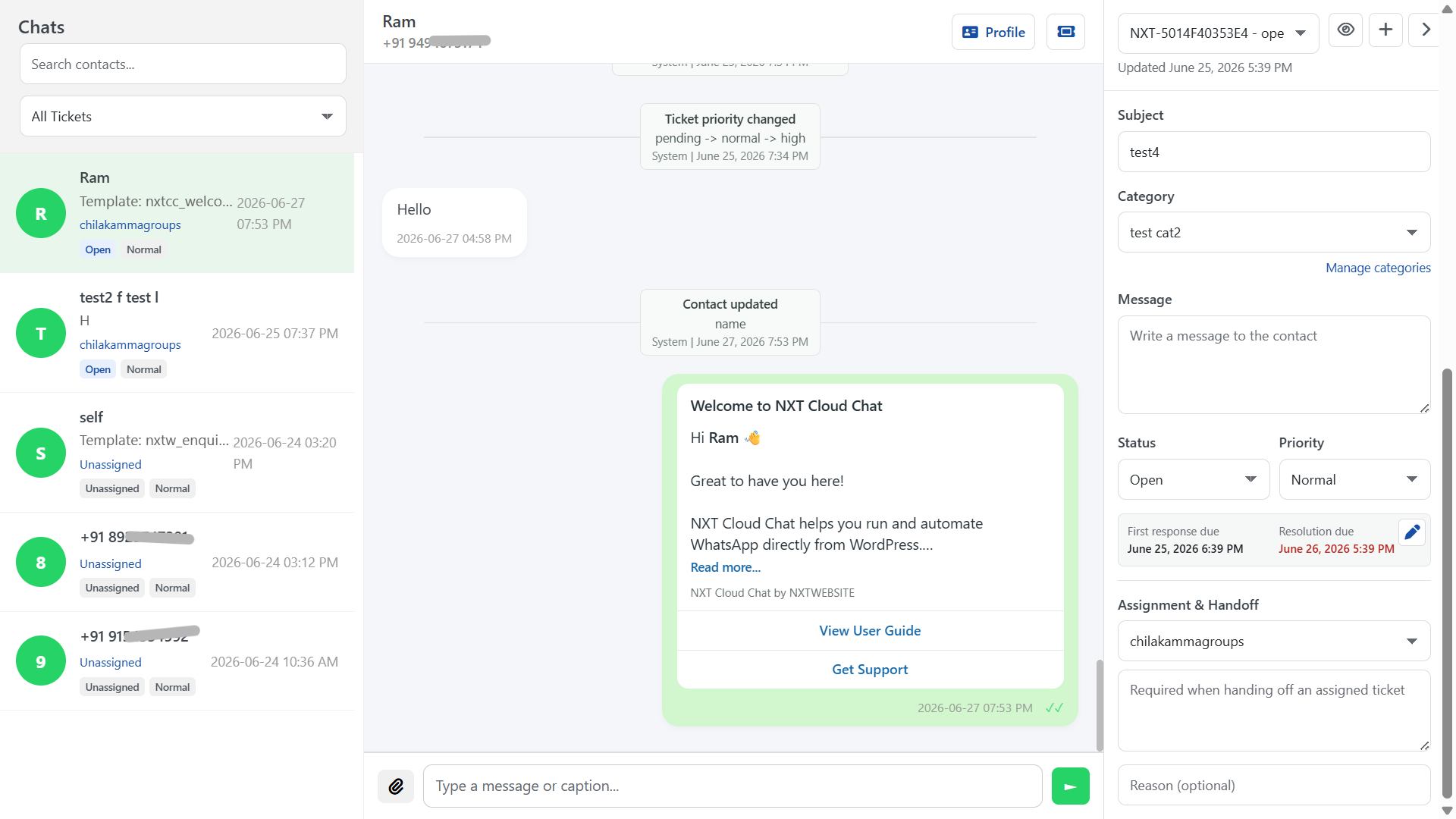
A CRM should help your team answer customer messages with context. That means the chat window should show the conversation, customer details, timeline, tickets, assignment, and useful CRM information in one place.
4. Team Access and Assignment
As soon as more than one person handles customer communication, assignments matter. A good CRM should support member and team assignment, access controls, and handoff notes so work does not get lost.
5. Tags, Groups, Segments, and Lifecycle
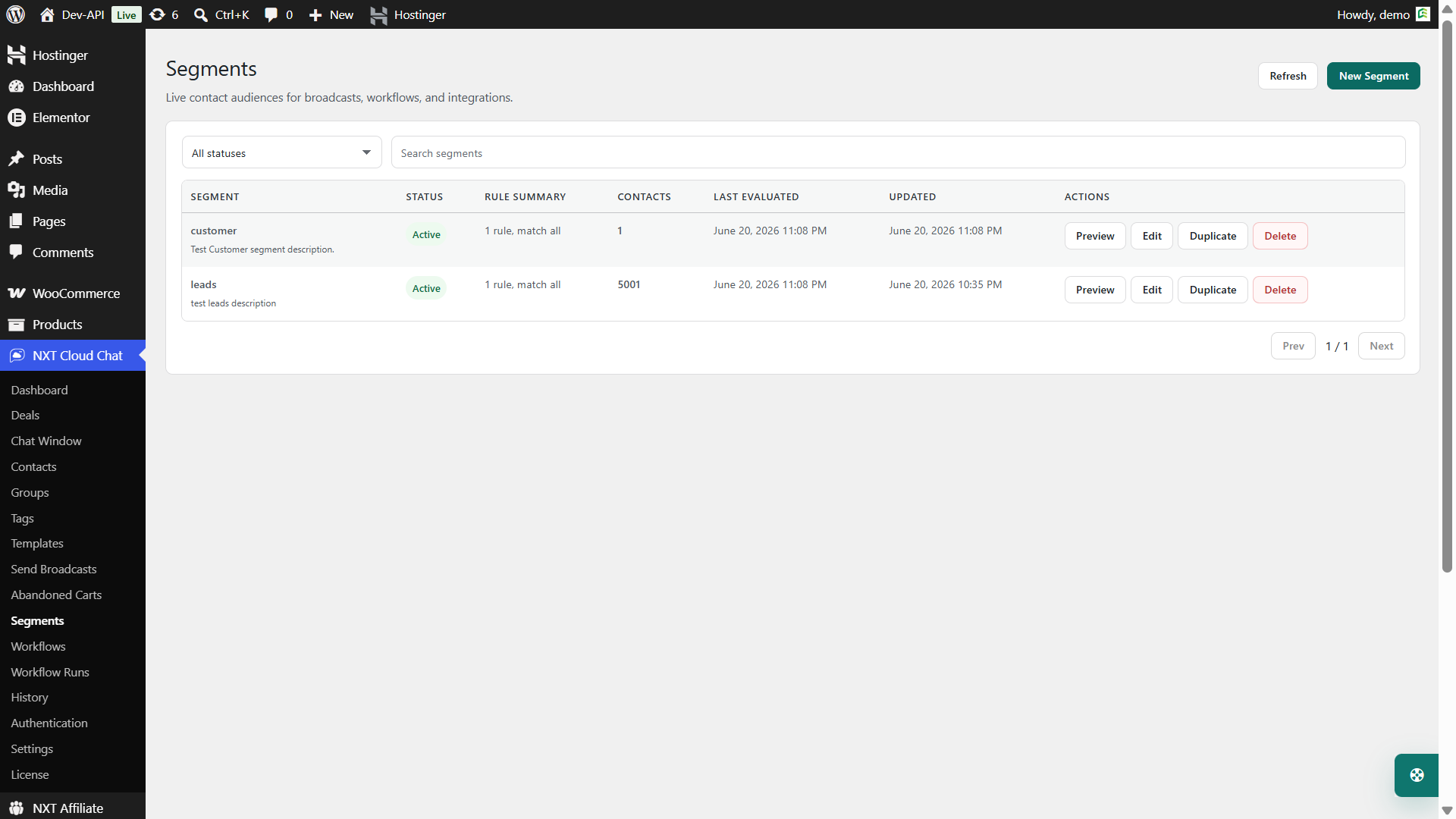
Simple contact lists are not enough for growing businesses. Tags and groups help with manual organization. Dynamic segments help target contacts based on rules such as subscription, activity, WooCommerce history, cart behavior, tags, groups, assignment, and lifecycle.
6. WooCommerce Awareness
For ecommerce stores, WhatsApp CRM should understand WooCommerce. Order updates, abandoned cart recovery, product/category filters, customer value, order count, and cart status all matter when deciding what message to send and when.
7. Templates, Broadcasts, and Automation
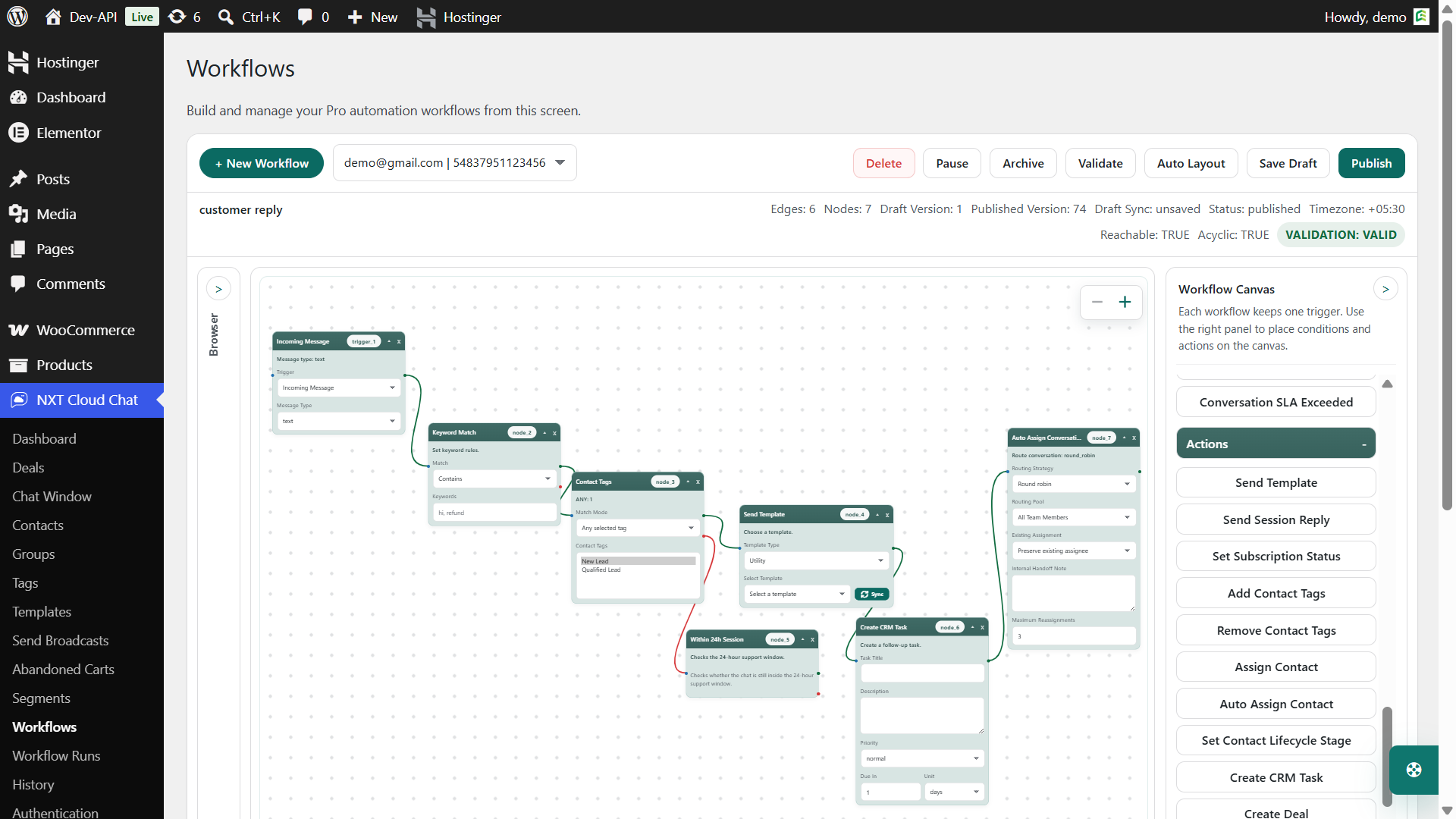
A CRM becomes more useful when it can send approved templates, run broadcasts, and automate workflows. NXT Cloud Chat Pro adds template sync, Send Broadcasts, abandoned carts, visual workflows, workflow runs, dynamic segments, retries, and analytics.
Why NXT Cloud Chat Is a Strong WhatsApp CRM for WordPress
NXT Cloud Chat is designed specifically for WordPress. That makes it different from general WhatsApp SaaS platforms that sit outside your website. For WordPress site owners, the advantage is practical: your CRM, WhatsApp inbox, login, contacts, WooCommerce context, and automation tools can live closer to the website that already runs your business.
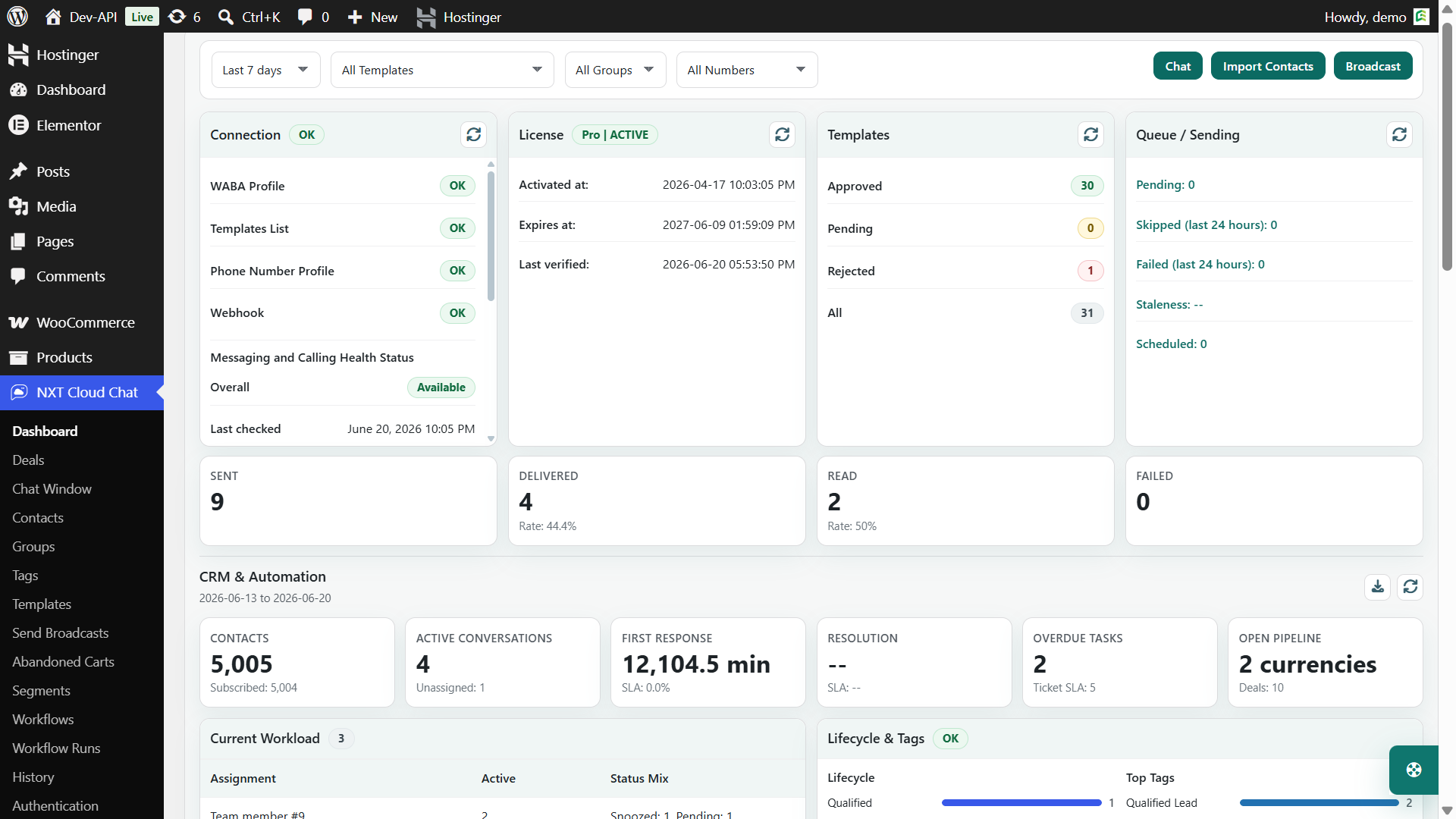
- Dashboard and connection health for the official WhatsApp Cloud API.
- CRM inbox with chat history and customer context.
- Contacts, groups, tags, lifecycle, and history for customer organization.
- Team access and assignments for member and team-based work.
- Deals and pipelines for sales tracking.
- WhatsApp OTP login for WordPress and WooCommerce.
- Templates, broadcasts, segments, workflows, workflow runs, WooCommerce order automation, and abandoned cart recovery in Pro.
Best Use Cases for NXT Cloud Chat
| Business type | How NXT Cloud Chat helps |
|---|---|
| WooCommerce store | Order updates, abandoned carts, broadcasts, customer segmentation, COD verification with OTP login |
| Service business | Shared inbox, ticket-style follow-up, assignments, internal notes, templates |
| Digital product seller | Login, customer support, license/customer communication, lifecycle tracking |
| Agency or support team | Team access, assigned chats, contact history, CRM notes, workflow visibility |
| Marketing team | Templates, broadcasts, groups, tags, segments, and subscription-aware campaigns |
WordPress-Native CRM vs External WhatsApp SaaS
External SaaS tools can be useful for businesses that want a separate WhatsApp command center. But WordPress stores often benefit from a native plugin because website data and customer communication are already connected.
| Need | WordPress-native CRM | External SaaS dashboard |
|---|---|---|
| WooCommerce context | Closer to order, cart, customer, and plugin data | May need integration or sync |
| Admin workflow | Inside WordPress | Separate login and dashboard |
| Customization | Can use WordPress hooks, wrappers, and plugin integrations | Depends on SaaS API and plan |
| Team adoption | Good for WordPress-first teams | Good for teams already using external CRM tools |
Checklist: How to Choose the Best WhatsApp CRM
- Does it use the official WhatsApp Cloud API?
- Can it manage contacts, tags, groups, subscription status, and history?
- Does it support a shared inbox and team assignment?
- Does it understand WooCommerce orders and carts?
- Can it sync approved WhatsApp templates?
- Can it send broadcasts to targeted audiences?
- Can it automate workflows with triggers, conditions, and actions?
- Does it give workflow logs or run history?
- Can developers integrate with it securely?
Final Recommendation
If your business is WordPress-first, the best WhatsApp CRM is the one that stays close to WordPress data and WooCommerce customer behavior. NXT Cloud Chat is built for that exact use case. It gives you the foundation of WhatsApp connection, CRM inbox, contacts, authentication, and team management, then adds advanced Pro tools for templates, broadcasts, workflows, segments, WooCommerce messaging, and abandoned cart recovery.
For store owners, agencies, support teams, and WordPress businesses that want a native WhatsApp CRM experience, NXT Cloud Chat is one of the strongest options to evaluate.
Frequently Asked Questions
What is the best WhatsApp CRM for WordPress?
For WordPress-native CRM, NXT Cloud Chat is a strong choice because it combines WhatsApp Cloud API connection, inbox, contacts, tags, groups, team access, login, and Pro automation tools inside WordPress.
Does NXT Cloud Chat support WooCommerce?
Yes. NXT Cloud Chat supports WooCommerce login and customer communication, while Pro adds WooCommerce order automation, abandoned cart recovery, templates, broadcasts, segments, and workflow runs.
Can I use NXT Cloud Chat for team support?
Yes. It includes chat context, assignments, team access controls, internal notes, tickets, and CRM activity tools to help teams manage customer conversations.
Does a WhatsApp CRM need templates?
For business-initiated messages, broadcasts, WooCommerce notifications, and many automations, approved WhatsApp templates are usually required. NXT Cloud Chat Pro includes template sync and usage in workflows and broadcasts.
Is a WordPress-native WhatsApp CRM better than SaaS?
It depends on your workflow. If your business runs heavily on WordPress and WooCommerce, a WordPress-native CRM can be easier to manage because customer, order, cart, and automation data are closer together.