COD RTO in WooCommerce is a common problem for online stores that offer Cash on Delivery. A customer places an order, the store ships it, and then the package returns because the customer is unreachable, the phone number is wrong, or the buyer is no longer interested.
Every failed COD delivery can cost your store money through shipping fees, return charges, packaging, staff time, and delayed inventory. One practical way to reduce avoidable COD RTO is to verify the customer with WhatsApp OTP before allowing the Cash on Delivery order to continue.
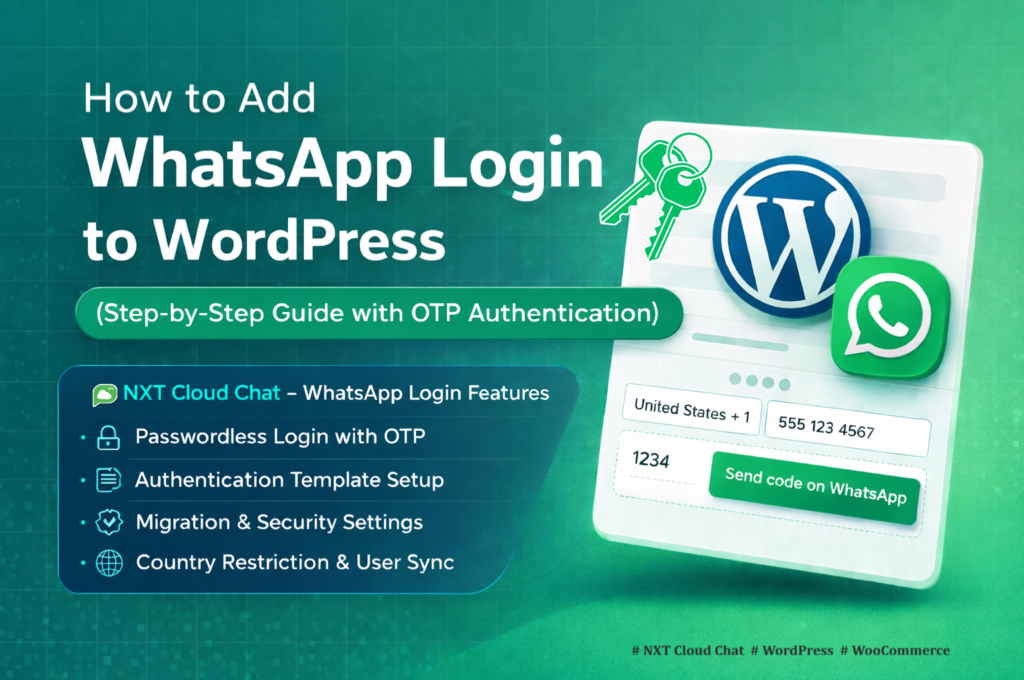
In this guide, you will learn how to reduce COD RTO in WooCommerce using WhatsApp verification with NXT Cloud Chat, a WordPress plugin that connects your website to the official WhatsApp Cloud API and supports WhatsApp OTP login.
Important: WhatsApp verification does not guarantee that every COD order will be delivered. It cannot prevent courier delays, address mistakes, or genuine customer cancellations. But it can help reduce fake, low-intent, or unreachable COD orders by confirming that the customer can receive and complete WhatsApp OTP verification.
What Is COD RTO in WooCommerce?
RTO means Return to Origin. In WooCommerce, COD RTO happens when a Cash on Delivery order is shipped but not delivered, so the package returns to the seller.
COD orders are riskier than prepaid orders because the customer has not paid yet. If the phone number is fake, inactive, or unreachable, the store may discover the problem only after paying for shipping.
- Wrong or unreachable phone number
- Low-intent or fake COD order
- Customer unavailable during delivery
- Customer changes their mind after ordering
- Incomplete address or delivery confusion
Why WhatsApp OTP Verification Helps
WhatsApp OTP verification helps confirm that the customer can receive messages on the phone number used for the order. This is important because most COD delivery coordination depends on the customer being reachable by phone or WhatsApp.
When a customer completes WhatsApp OTP verification, your store gets a stronger signal that the number is real, reachable, and controlled by the customer.
- It reduces fake phone number orders.
- It confirms that the customer can receive WhatsApp messages.
- It adds a small commitment step before COD checkout.
- It helps stores avoid shipping some low-quality COD orders.
- It improves customer reachability before fulfillment.
How NXT Cloud Chat Helps Reduce COD RTO
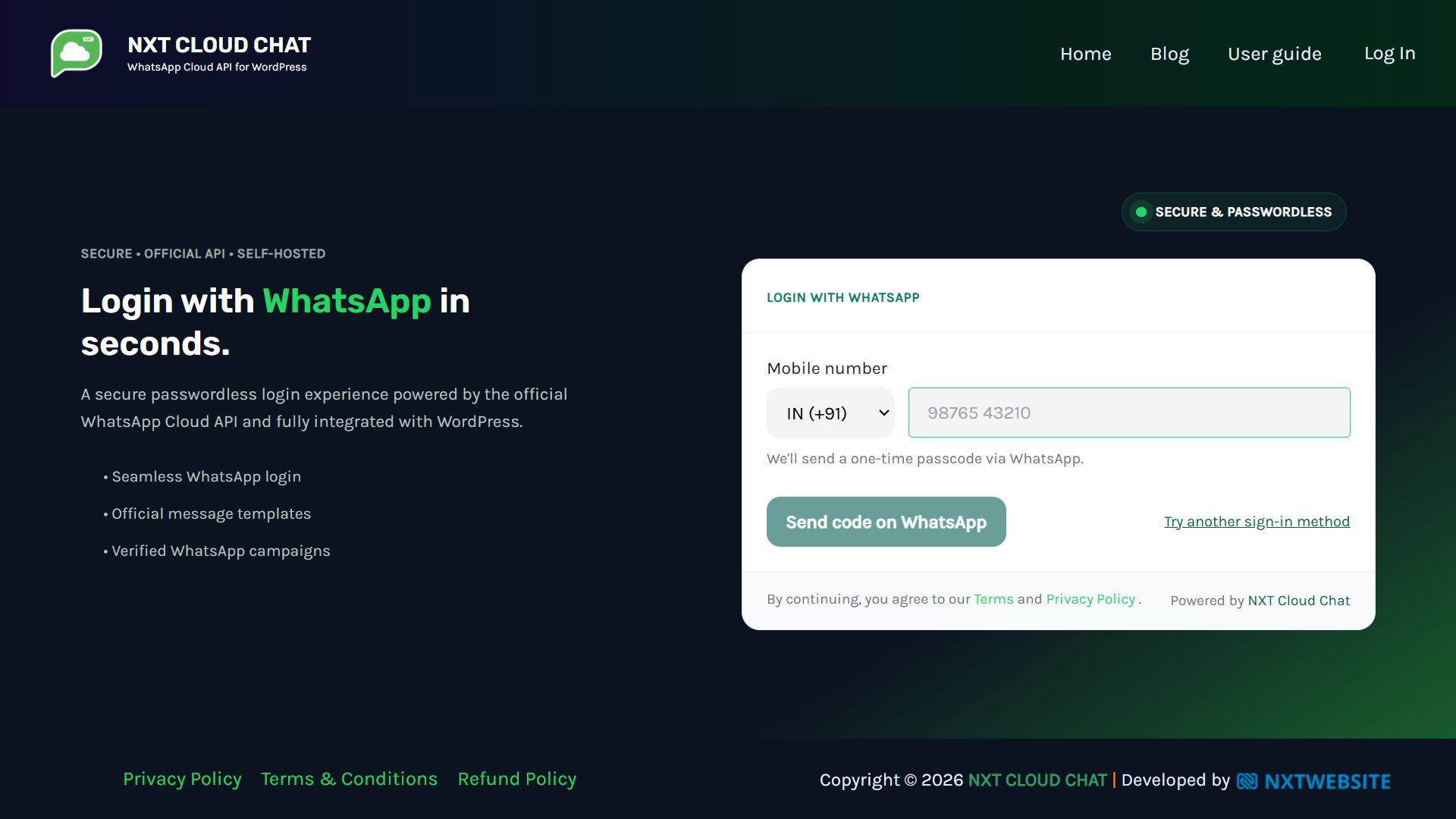
NXT Cloud Chat lets WordPress and WooCommerce sites use WhatsApp OTP login through the official WhatsApp Cloud API. For COD stores, the most important setting is:
Require verified login for WooCommerce COD orders
When this option is enabled, unverified customers can be asked to complete WhatsApp verification before placing a Cash on Delivery order. This makes COD checkout safer because the order is connected to a verified WhatsApp login.
Step 1: Connect NXT Cloud Chat to WhatsApp Cloud API
Before using WhatsApp verification, connect your WordPress website to the official WhatsApp Cloud API.
- Install NXT Cloud Chat from WordPress.org.
- Open NXT Cloud Chat > Settings > Connection.
- Enter your Meta App ID, App Secret, Access Token, Phone Number ID, and Business Account ID.
- Save the settings.
- Check the dashboard connection status before testing verification.
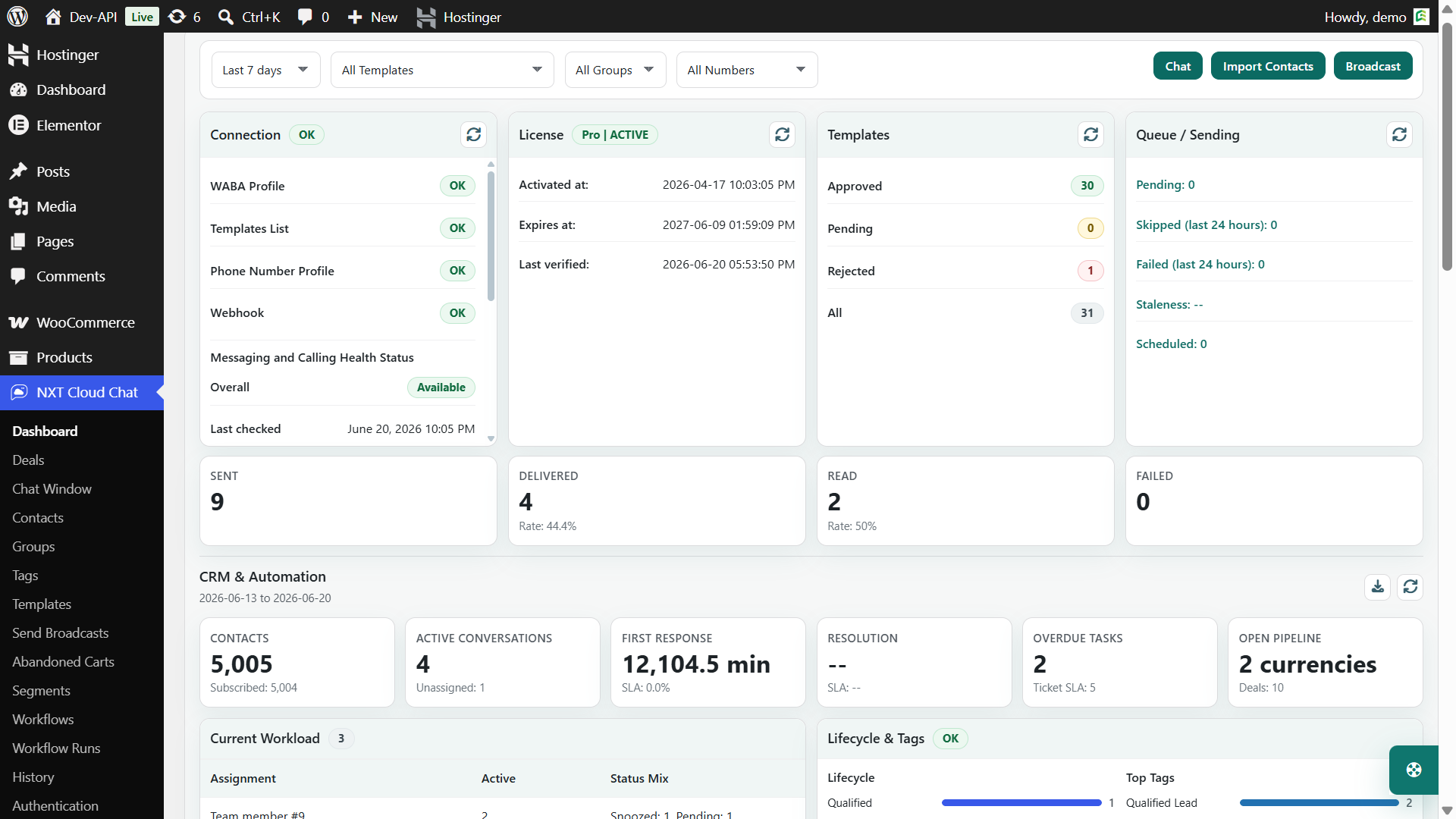
Need help connecting the API? Follow the NXT Cloud Chat setup guide.
Step 2: Configure WhatsApp OTP Login
WhatsApp OTP login is the verification method used for COD trust. It sends a one-time password to the customer’s WhatsApp number and verifies the user after the correct code is entered.
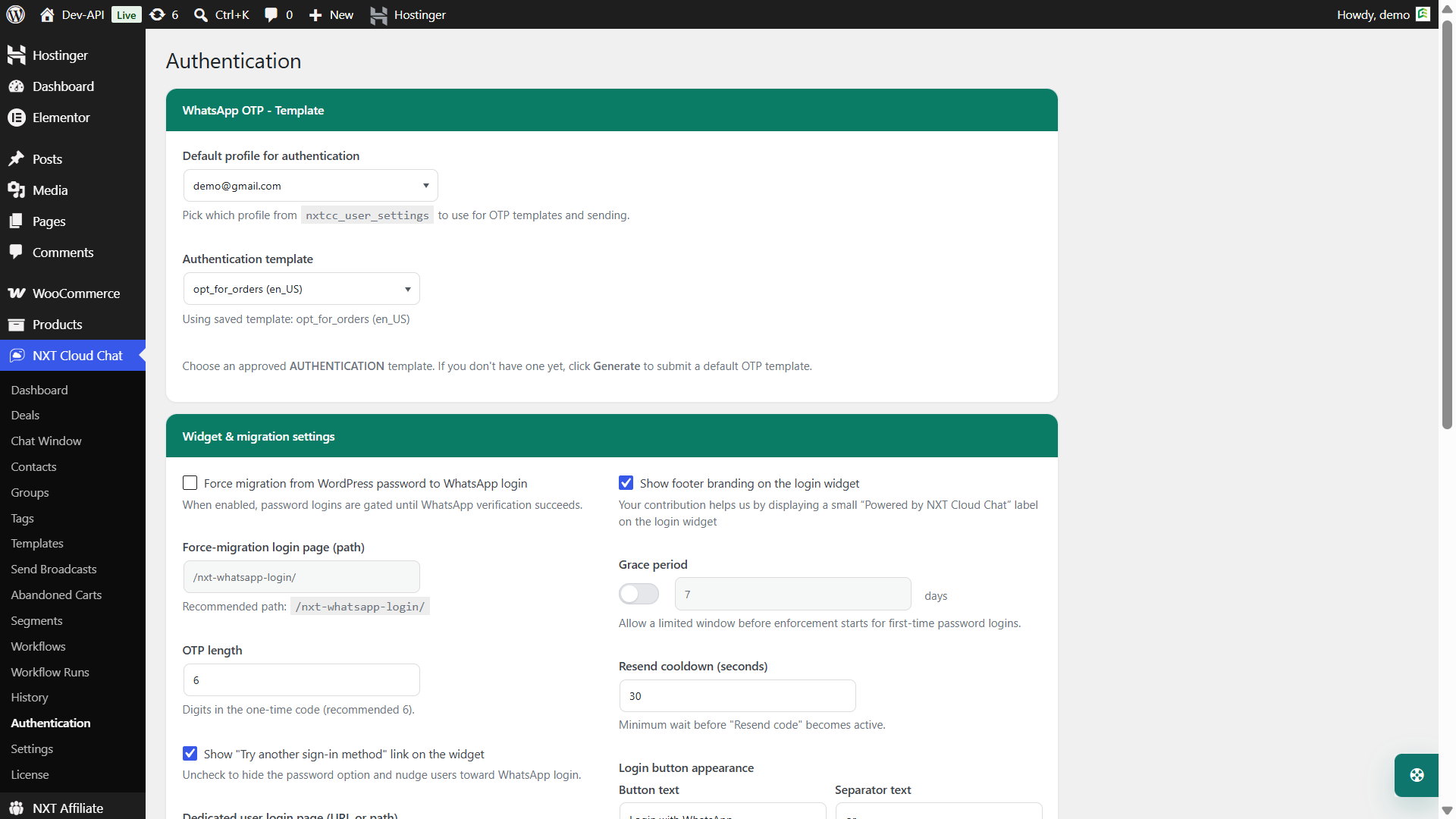
- Go to NXT Cloud Chat > Authentication.
- Select or generate an approved WhatsApp authentication template.
- Set the OTP length. A 6-digit OTP is usually recommended.
- Create a dedicated WhatsApp login page using the shortcode
- Save the login page URL in the Authentication settings.
You can also show WhatsApp login buttons on the default WordPress login page and WooCommerce My Account page.
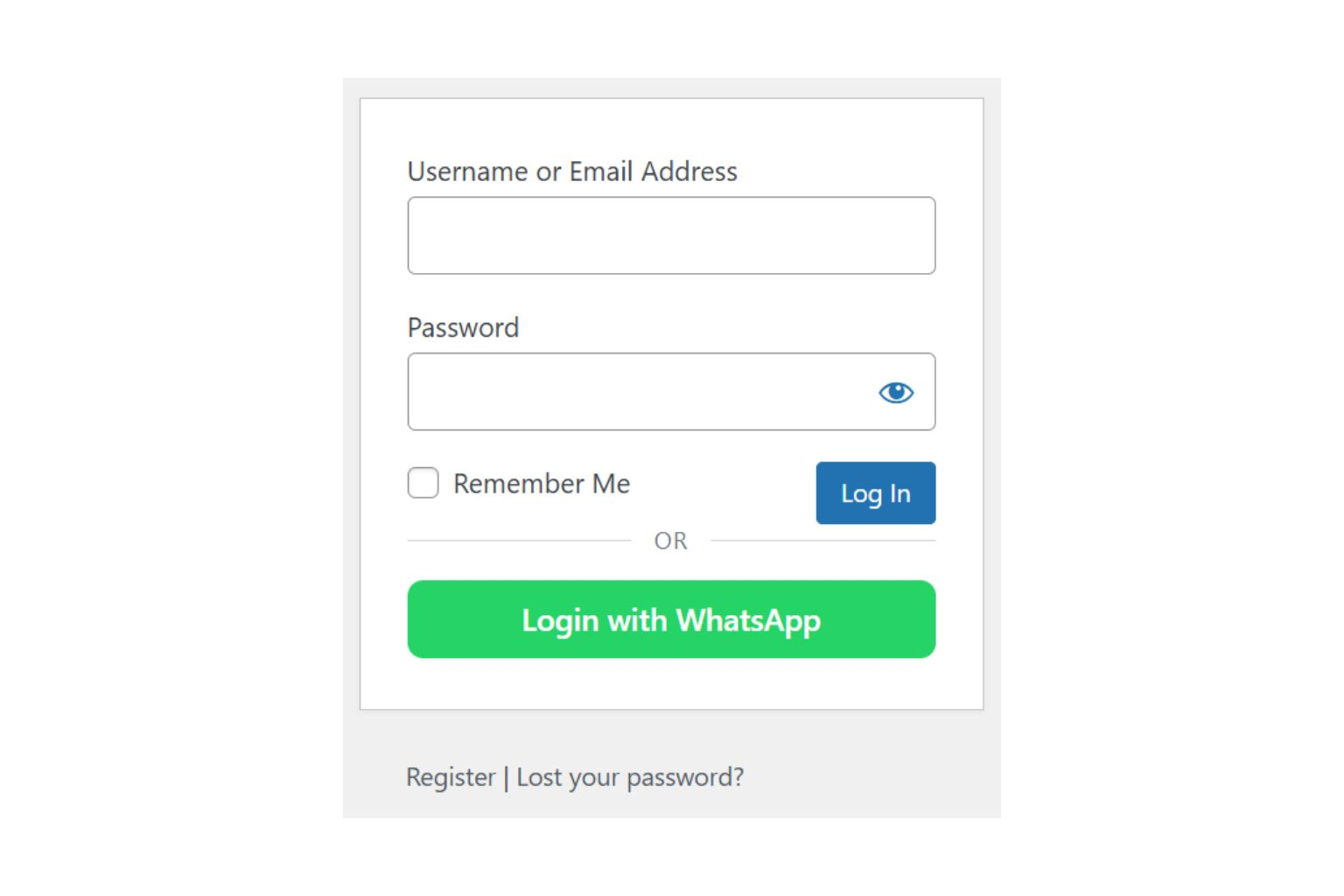
Step 3: Enable Require Verified Login for COD Orders
This is the main setting for reducing avoidable COD RTO with NXT Cloud Chat.
- Open NXT Cloud Chat > Authentication.
- Find Require verified login for WooCommerce COD orders.
- Enable the checkbox.
- Save the settings.
- Test checkout with Cash on Delivery selected.
After enabling this setting, customers who are not verified can be guided to complete WhatsApp OTP verification before continuing with a COD order.
Recommended COD Verification Flow
- Customer adds products to cart.
- Customer chooses Cash on Delivery at checkout.
- If the customer is not verified, NXT Cloud Chat asks for WhatsApp OTP verification.
- Customer verifies the OTP sent to WhatsApp.
- Customer continues checkout with a verified login.
- Store receives a COD order from a more reachable customer.
Best Practices for COD Verification
- Keep the verification page simple. Customers should understand that verification is required for COD safety.
- Use a clear OTP template. Authentication messages should be short and focused only on verification.
- Test on mobile. Most COD customers will complete verification from a phone.
- Do not overcomplicate checkout. The verification step should be fast and easy.
- Review high-value COD orders manually. OTP verification improves confidence, but expensive COD orders may still need extra review.
- Keep your WhatsApp Cloud API connection healthy. If OTP messages fail, customers may not complete checkout.
What WhatsApp Verification Can and Cannot Do
| Can help with | Cannot guarantee |
|---|---|
| Wrong or fake phone numbers | Customer will accept delivery |
| Low-intent COD orders | Courier will deliver successfully |
| Customer reachability | Address is always correct |
| Basic identity confidence | No future cancellation |
| Safer COD checkout | Zero RTO |
Think of WhatsApp OTP verification as a risk-reduction step, not a complete fraud-prevention system. It is simple, practical, and useful because it confirms customer reachability before COD fulfillment.
Why Choose NXT Cloud Chat?
NXT Cloud Chat is built for WordPress businesses that want to connect directly with the official WhatsApp Cloud API. For COD stores, the key benefit is simple: you can require WhatsApp verified login before accepting WooCommerce Cash on Delivery orders.
- Official WhatsApp Cloud API connection
- WhatsApp OTP login for WordPress
- WooCommerce My Account login button
- Dedicated WhatsApp login page shortcode
- Require verified login for WooCommerce COD orders
- Setup guide and support links inside the plugin dashboard
Explore the plugin here: NXT Cloud Chat.
Final Thoughts
COD RTO is expensive, especially for WooCommerce stores that ship many Cash on Delivery orders. While no verification method can remove every return, WhatsApp OTP verification helps reduce avoidable risk by confirming that customers are reachable before COD checkout continues.
With NXT Cloud Chat, you can connect WordPress to the official WhatsApp Cloud API, enable WhatsApp OTP login, and turn on Require verified login for WooCommerce COD orders from the Authentication settings.
If your WooCommerce store depends on COD, this is a practical first step toward reducing fake, unreachable, and low-intent COD orders.
Frequently Asked Questions
What is COD RTO in WooCommerce?
COD RTO means a Cash on Delivery order was shipped but returned to the seller because it could not be delivered. Common reasons include unreachable customers, wrong phone numbers, incorrect addresses, refused delivery, or low purchase intent.
Can WhatsApp verification reduce COD RTO?
Yes. WhatsApp OTP verification can reduce avoidable COD RTO by confirming that the customer can receive and complete verification on their WhatsApp number. It cannot guarantee delivery or remove every return.
How does NXT Cloud Chat verify COD customers?
NXT Cloud Chat sends a WhatsApp OTP through the official WhatsApp Cloud API. After the customer enters the correct OTP, the user is treated as verified for login and COD checkout purposes.
Where do I enable COD verification in NXT Cloud Chat?
Go to NXT Cloud Chat > Authentication and enable the setting called Require verified login for WooCommerce COD orders.
Do I need the official WhatsApp Cloud API?
Yes. NXT Cloud Chat uses your official WhatsApp Cloud API connection to send OTP messages and verify customers through WhatsApp.
Will COD verification stop all RTO?
No. COD verification can reduce avoidable risk, but it cannot guarantee that every customer will accept delivery or that every courier delivery will succeed.
Can customers still use WooCommerce My Account login?
Yes. NXT Cloud Chat can show a WhatsApp login button on the WooCommerce My Account login page, making it easier for customers to sign in with WhatsApp OTP.